Open Source Spotlight #1: Vorssaint adds the little extras I want on my Mac

I’m starting a new series called Open Source Spotlight, where I’ll occasionally share open-source projects I use and enjoy. Not exhaustive reviews or lists of whatever is trending on GitHub. Just useful software that’s earned a place in my setup, and why I think it’s worth a look.
First up is Vorssaint, a free macOS menu bar toolkit with a collection of nice-to-have features for people who spend a lot of time on their Macs.
I’ve been a Mac user for more than ten years, and I genuinely like macOS. I’ve also picked up a few preferences and habits along the way. Vorssaint adds a bunch of small quality-of-life improvements that suit how I work, from file management and audio controls to keeping track of AI coding agents.
None of these features is going to change my life. But quite a few of them make an ordinary day at my computer a little nicer.
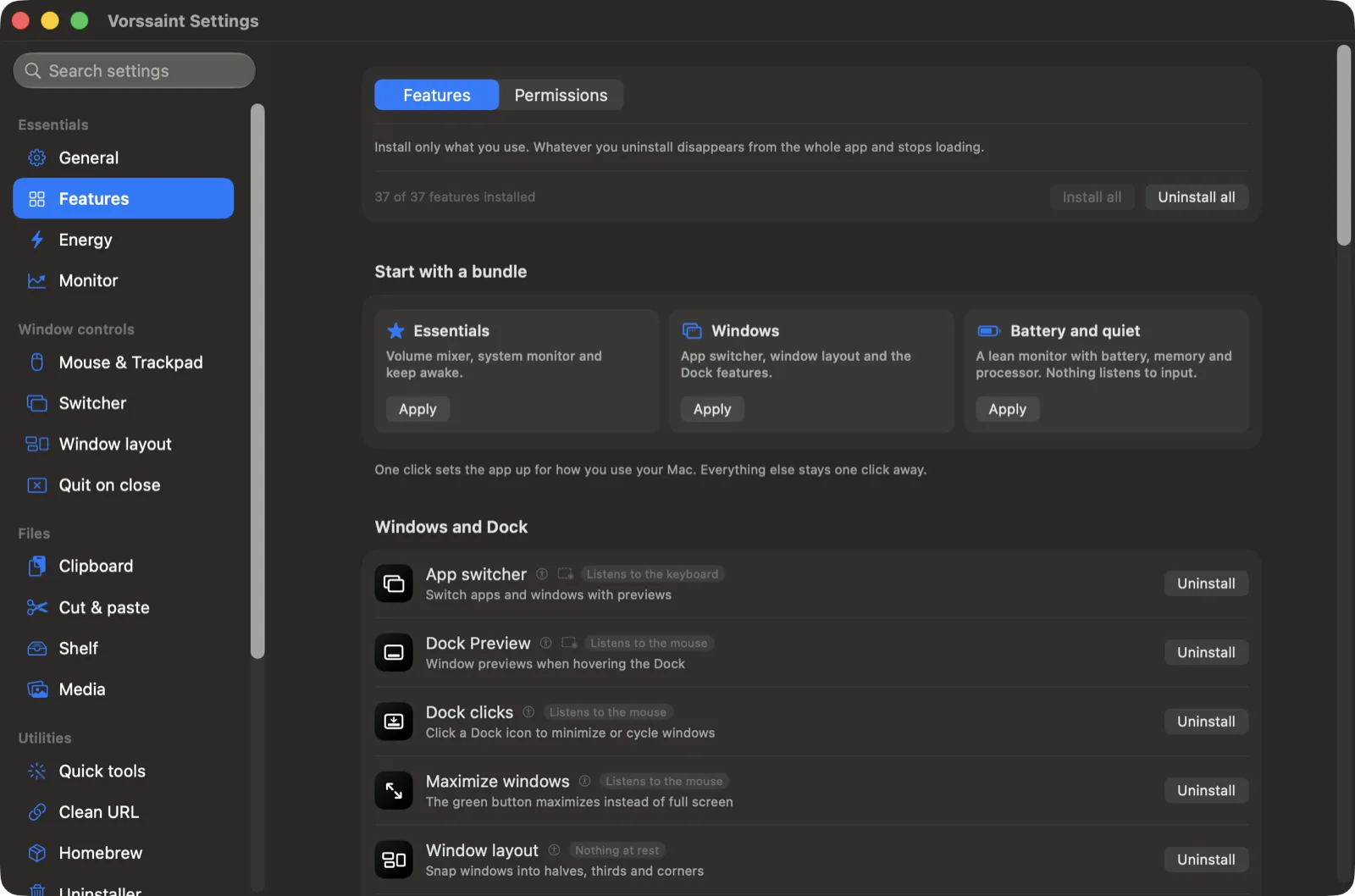
The real Vorssaint settings interface. Screenshot: Vorssaint project.
Moving files in Finder, my way
Let’s start with the big one: cut and paste for files.
I’ve always liked the familiar ⌘X and ⌘V workflow for moving files: select something, cut it, navigate to the destination, and paste.
Finder already supports moving files with ⌘C followed by ⌘⌥V. That works fine, but it’s not quite the shortcut my fingers naturally reach for.
Vorssaint adds ⌘X and ⌘V for moving files in Finder. That’s it. It’s a tiny adjustment, but it’s probably the single feature I appreciate most. I move things around constantly, so a shortcut that feels more natural to me is a welcome improvement.
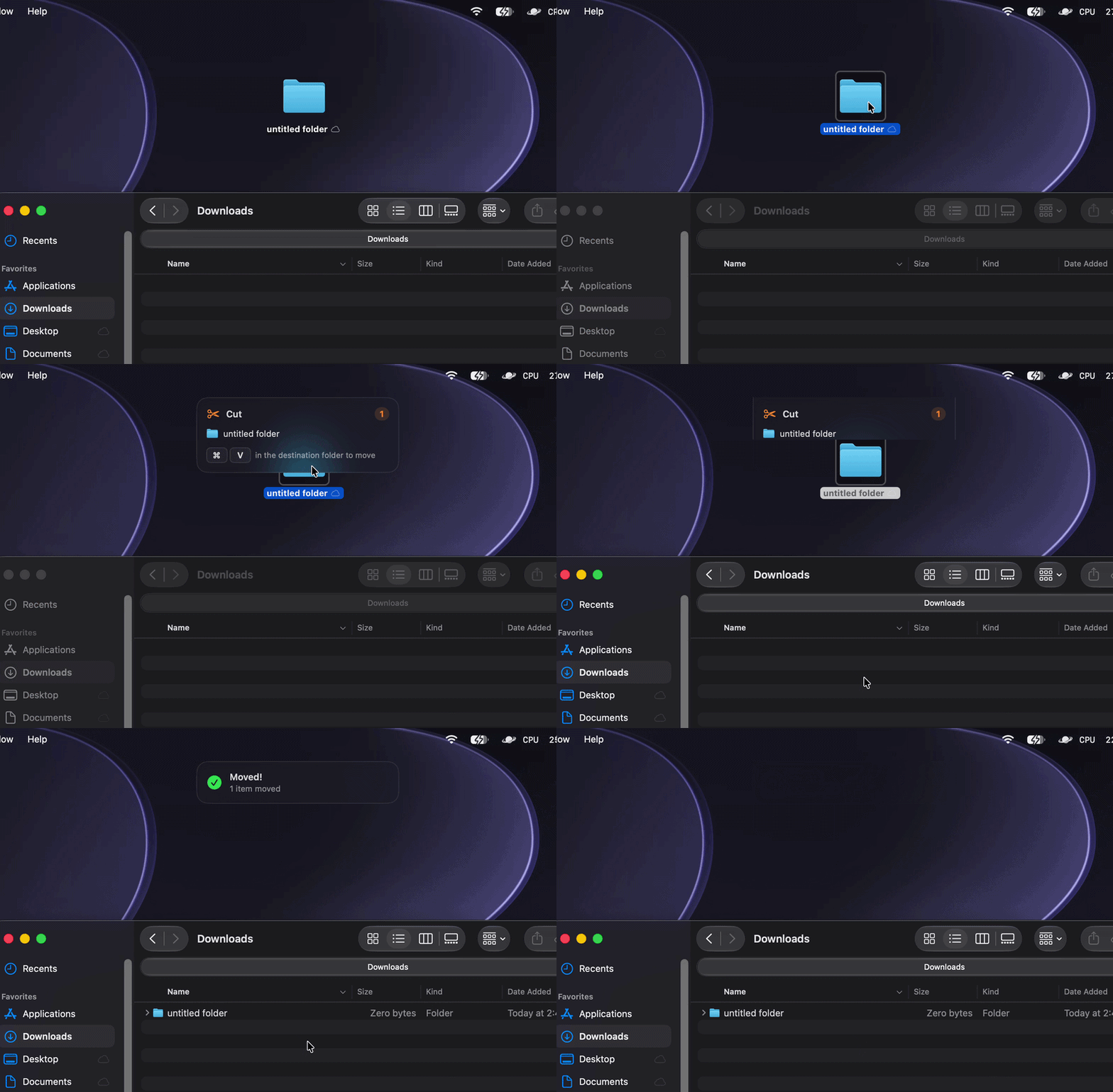
Actual Finder cut-and-paste demo from the Vorssaint repository.
Dock previews at a glance
Another favorite is Dock previews. Hover over an application’s Dock icon and Vorssaint can show the windows it has open, including windows across desktops.
macOS has Mission Control, App Exposé, and plenty of keyboard shortcuts for switching around. Those are useful, but sometimes I just want to see which window I’m looking for before bringing it forward.
This is particularly nice when I have several browser or other application windows open. A quick preview is often easier than cycling through them to find the right one.
It’s not a new way of working. It’s a small improvement to something I already do dozens of times a day, which is exactly the sort of utility I tend to keep.
Cleaning up links without doing it by hand
One of my favorite little utilities is Clean URL. For a long time, when I copied a link to share with someone, I’d manually delete all the tracking parameters hanging off the end. You know the ones: a perfectly normal URL followed by a long string of utm_ parameters and assorted other junk.
It wasn’t difficult, but it was annoying, and I did it often enough that it became one of those tiny chores I resented having to think about.
Vorssaint can strip common tracking parameters from links, either on demand or automatically. Now I can share a cleaner URL without first editing it like I’m performing minor surgery on a hyperlink.
It’s a small feature. I love it.
A scratchpad for thoughts that aren’t notes yet
I also really like the scratchpad.
I have plenty of places to put notes. That’s not the problem. Sometimes I just need somewhere to drop a sentence, a command, a link, or an idea without deciding where it belongs or turning it into a permanent artifact.
Vorssaint gives me a quick, floating scratchpad with autosaved content, tabs, and Markdown support. It’s easy to open, throw something in, and get back to whatever I was doing.
I’m a sucker for simple tools that get out of the way. This is one of those.
A little more control over audio
The independent application volume control is another welcome addition.
macOS handles system-wide volume well, and lots of applications have their own audio controls. What I like here is having those individual app volumes in one place.
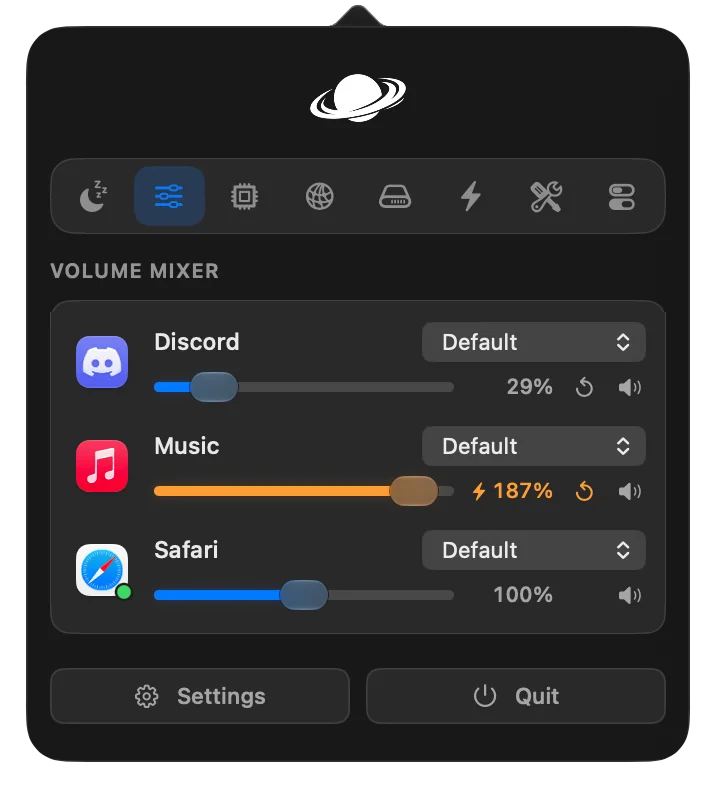
With Vorssaint, I can adjust one application’s volume without changing everything else. It also supports routing different apps to different audio outputs, which is a nice bonus.
It’s especially useful when I’m juggling music, a browser, calls, and everything else that occasionally decides it needs to make noise.
Again, nothing flashy. Just a convenient little control that fits the way I use my Mac.
Keep awake, without fiddling with settings
Keep awake is exactly what it sounds like. It keeps the Mac from going to sleep when I don’t want it to.
There are ways to handle this already, including the caffeinate command in Terminal. But I don’t always want to open a terminal or change power settings because I’m waiting on a long-running task.
Being able to turn it on from the menu bar, use a timer, and turn it off afterward is much nicer. Vorssaint can also keep the machine awake based on selected apps and other conditions.
This probably isn’t something I need every hour. It’s something I’m glad to have when I do need it.
Homebrew, without the housekeeping
I use Homebrew for a lot of the software on my Mac. It’s one of the tools that makes the platform so pleasant to work with, especially when you spend time in Terminal.
But keeping everything updated can turn into a bit of housekeeping. I know how to check for outdated packages and upgrade them from the command line. Sometimes I just don’t want to.
Vorssaint puts my Homebrew packages and available upgrades into a simple list, with the ability to update them from there. I can see what needs attention and take care of it without turning a five-second chore into another trip to Terminal.
I’m not trying to avoid the command line. I just don’t think I should need it for everything.
A particularly nice touch for AI workflows
One of the more interesting additions, and one that’s especially relevant to the way I use my Mac lately, is Vorssaint’s integration with AI coding agents.
I regularly use tools like Codex, Claude, and GitHub Copilot to work on software projects. Once you have a few agents working on different tasks, it becomes surprisingly easy to lose track of what is running, how much it’s using, and whether something has finished.
Vorssaint can surface information from supported tools, including Claude, Codex, OpenCode, and GitHub Copilot. Depending on the integration, that includes usage limits, token counts, estimated API value, project or task information, and notifications when longer work completes.
The newer Dynamic Island feature gives all of that a clever place to live around the MacBook camera cutout. It can also bring together music, calendar events, timers, notifications, and downloads. I like the idea of making that otherwise unused strip at the top of the screen genuinely useful, rather than opening one more window to check how something is going.

Actual Dynamic Island demonstration supplied by the Vorssaint project. The UI continues to evolve between releases.

I like being able to glance at this information without jumping between tools. In particular, seeing usage and how long work is taking is useful when I’m running different agents or experimenting with models.
One caveat: estimated API value isn’t necessarily the same as money actually billed, especially with subscriptions or bundled usage. It’s helpful visibility, not an accounting system.
It’s also not the main reason I’d recommend Vorssaint. But it’s a thoughtful extra for someone who spends a lot of time with these tools.
A toolkit, not another pile of menu bar icons
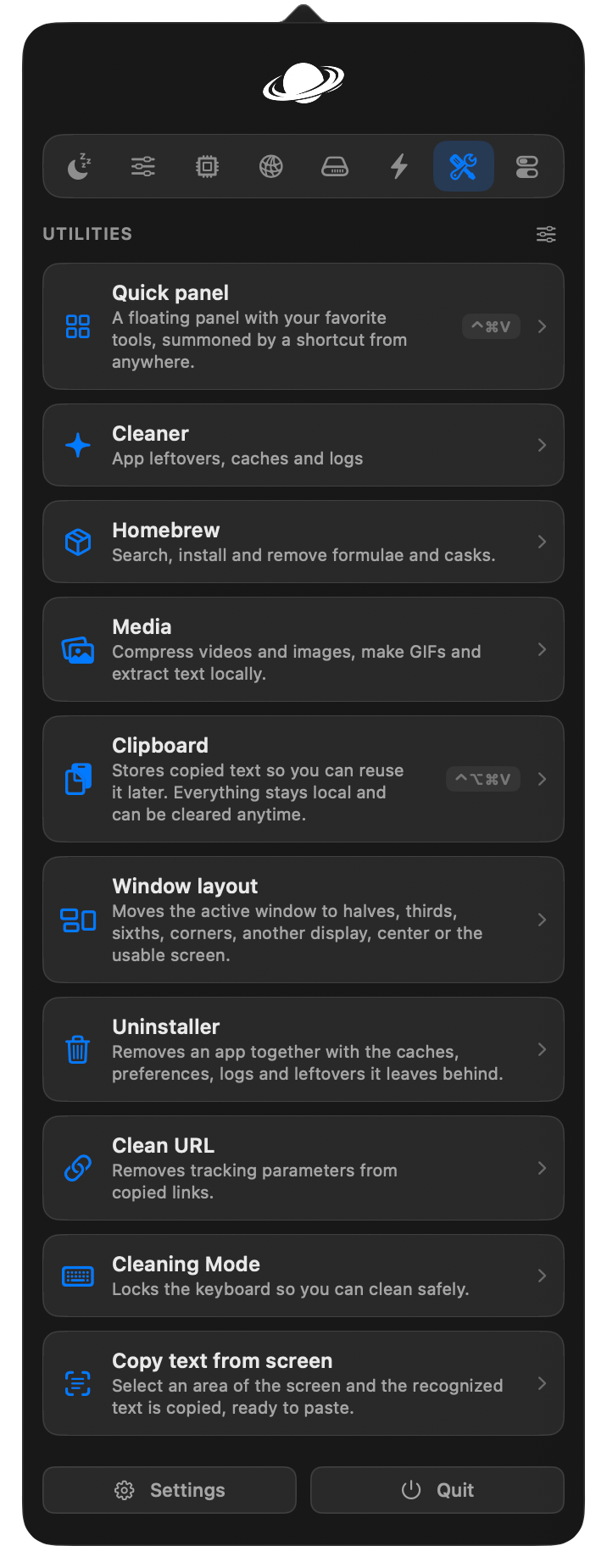
There’s a lot more here than the features I’ve mentioned: clipboard history, window snapping, system monitoring, text snippets, screenshots, app management, and plenty of other utilities.
What I appreciate is that Vorssaint doesn’t require me to use all of them. Features can be installed individually, and the app asks for the permissions those features need. According to the project, it’s local-first, requires no account, and doesn’t include telemetry or a subscription.
That’s a sensible approach for a utility that can interact with so many parts of the operating system. I’d still take a look at the permissions before enabling everything. There’s no reason to give an app access to functionality you don’t plan to use.
And if you’re the sort of person who already has a carefully curated collection of Mac utilities, there may be overlap. I’m not arguing that every individual feature is unique. Having several of the ones I want in one place is a big part of the appeal.
Getting started
Vorssaint is free and open source, with its code available under the GPL-3.0-or-later license. At the time of writing, it requires an Apple Silicon Mac running macOS Sonoma (14) or newer.
You can download it from the project’s GitHub releases, or install it with Homebrew:
brew install --cask vorssaint
I’d start with a few utilities rather than switching everything on at once. For me, the Finder shortcuts, Dock previews, Clean URL, scratchpad, volume mixer, keep-awake, and Homebrew tools are an easy starting point. The Dynamic Island and AI integrations are worth exploring if you use those tools regularly.
Why I wanted to highlight it
I don’t think a good piece of software has to fundamentally change how I work. Sometimes the best tools are the ones that remove a small annoyance, work reliably, and eventually become something I stop thinking about.
That’s what I like about Vorssaint. It gathers a lot of those little conveniences in one place and lets me pick the ones I actually want. Over time, a handful of small improvements adds up to a surprisingly pleasant setup.
It’s also the kind of open-source project I want to highlight in this series: practical, thoughtfully built, and immediately useful.
If you’re a Mac power user, or just someone who enjoys dialing in their setup, Vorssaint on GitHub is worth a look.